
The new semester is almost here! For new students who are still unsure about how to pay tuition fees, 🤩 NEXKY has you covered today. You can easily pay your tuition through our CU NEX app.
Here’s 3 things of what you’ll need to get started
✅ Kasikornbank account
✅ CU NEX application
✅ K PLUS application
Once you have these ready, follow these steps to pay your tuition through the CU NEX app


1️⃣ Open the CU NEX app and go to ‘More’
2️⃣ Click on the ‘Payment’ icon
3️⃣ Choose the tuition fee you want to pay
4️⃣ Select your preferred payment method
The CU NEX app offers 4 convenient ways to pay❗️
💸 Direct Debit
1️⃣ Select the tuition fee you want to pay
2️⃣ Choose automatic debit registration
3️⃣ Confirm registration in the K PLUS app
💸 Pay with K PLUS
1️⃣ Select the tuition fee you want to pay
2️⃣ Choose other payment methods
3️⃣ Select pay with K PLUS
4️⃣ Enter the phone number link to the K PLUS account.
You can pay yourself or send the request to a family member > Next
Wait for a notification from the K PLUS app and confirm the payment there.
*Payments can be made between 00:00 – 23:30.
💸 Pay with Credit/Debit Card
1️⃣ Select the tuition fee you want to pay
2️⃣ Choose other payment methods
3️⃣ Select pay with Credit/Debit Card or apply for a Kasikorn bank credit card
4️⃣ Choose the card type (Kasikorn bank, other domestic banks, or international banks) and payment method (full payment or installment)
5️⃣ Enter your card details
*Payments can be made between 00:01 – 19:00 (GMT + 07:00)
💸 Pay at Kasikorn bank branch
1️⃣ Select the tuition fee you want to pay
2️⃣ Choose other payment methods
3️⃣ Select pay at Kasikorn bank branch > Show QR Cose
4️⃣ Present the QR code at the branch to complete your payment
*The QR code cannot be scanned via Mobile Banking.
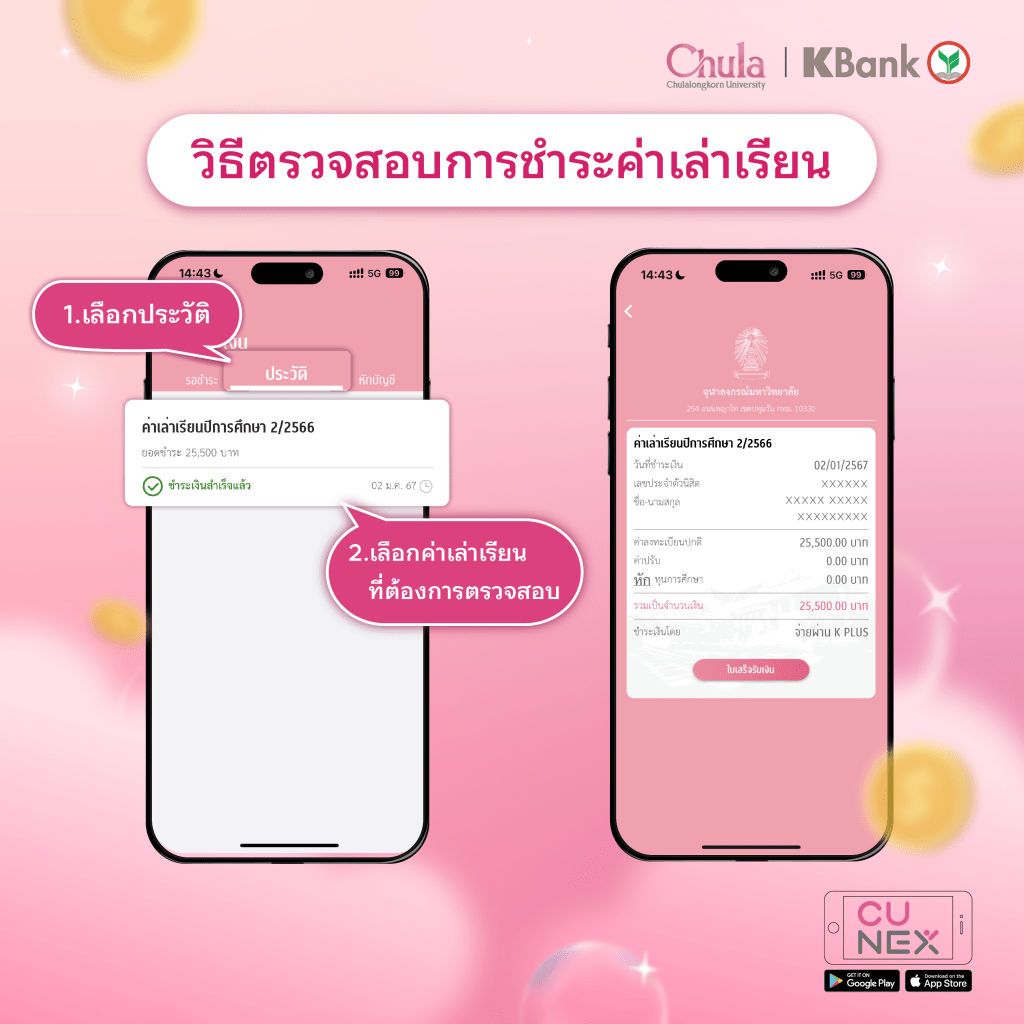
Wait for the payment confirmation notification through the CU NEX application. It’s that simple to pay your tuition fees! 🥰
 CU NEX Popular Stories