
⚠️ Using some features frequently but still having to scroll searching for them. What could we do? Here it is! CU NEX in a new look that you can customize your favorite features ‼️ No more wasting time in rush hour, just re-arrange your most-used features for a second and it will be ready to use ✅✅✅
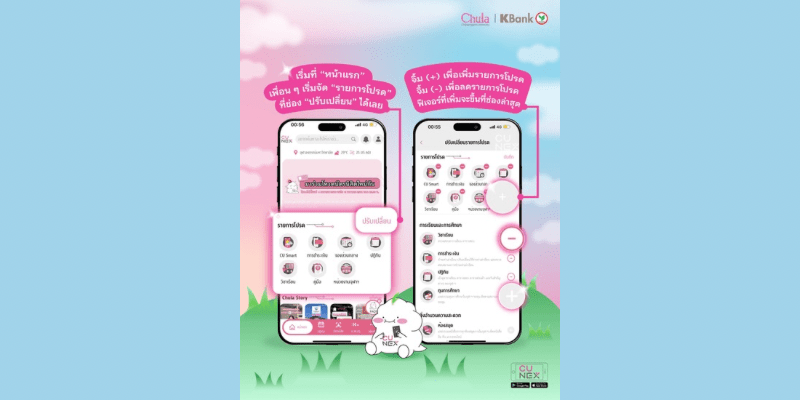
1️⃣ Begin with the “Home” page. You can customize your favorite features by clicking on “Edit”
2️⃣ After that, press the (+) button to add your favorite features or (-) to delete some features from your favorite. The added features will appear in the favorite list.
3️⃣ Finally, don’t forget to press the “save” button!

 CU NEX Popular Stories