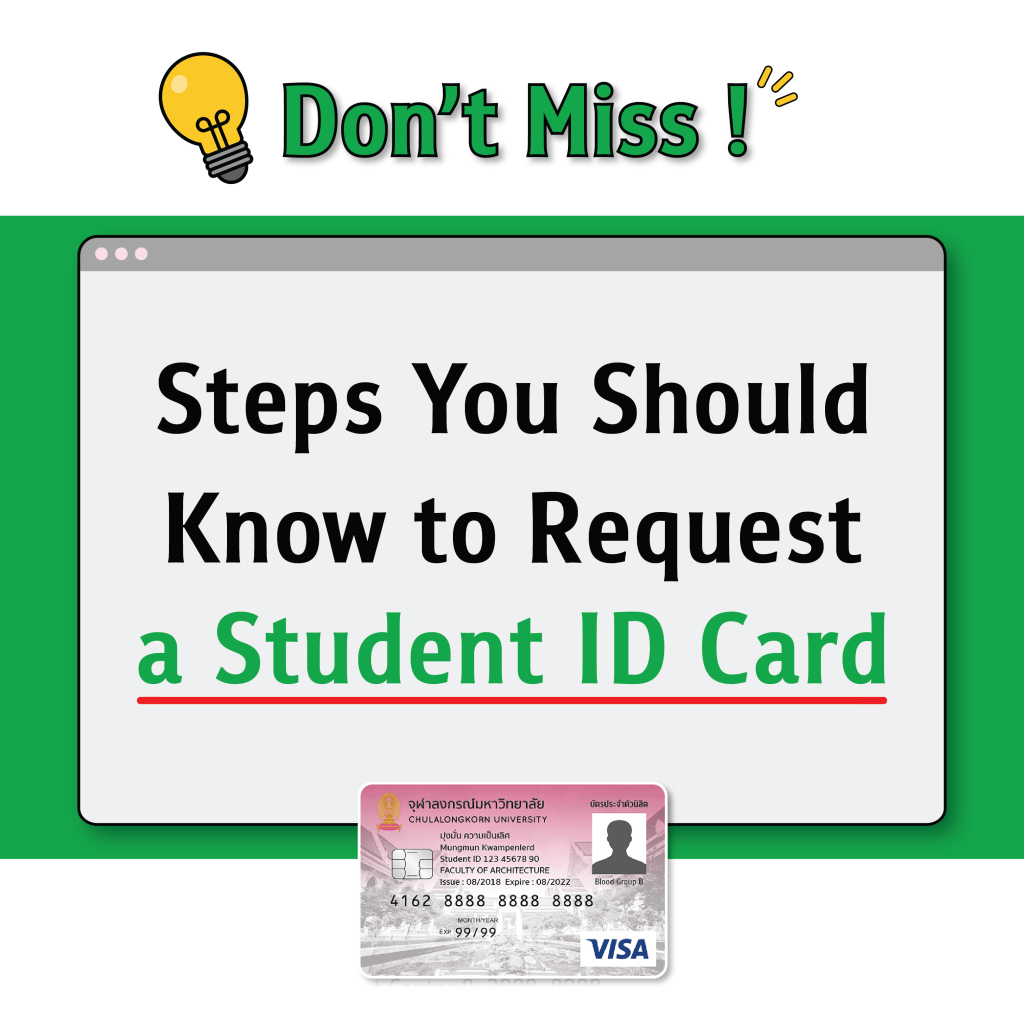
🤔 Dear new students, you all must be wondering how to request a student ID card. How long will it take? What documents are needed? 😇💫 Today, NEXKY has all the answers!
3 Essentials for Requesting a Student ID Card
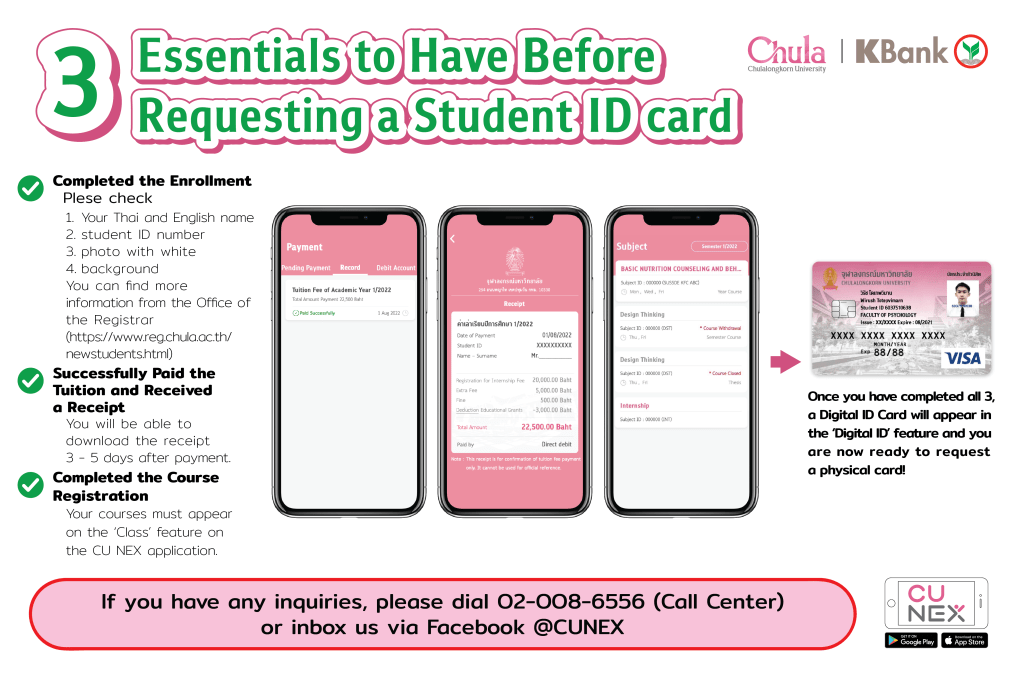
✅ Completed the Enrollment
Check your Thai and English name, student ID number, and photo with white background. You can find more information from the Office of the Registrar (https://www.reg.chula.ac.th/newstudentsen.html)
✅ Successfully Paid the Tuition and Received a Receipt
You will be able to download the receipt 3 – 5 days after payment.
✅ Completed the Course Registration
Your courses must appear on the ‘Class’ feature on the CU NEX application.
Once you have completed all 3, a Digital ID Card will appear in the ‘Digital ID’ feature and you are now ready to request a physical card!
Steps to Request a Student ID Card

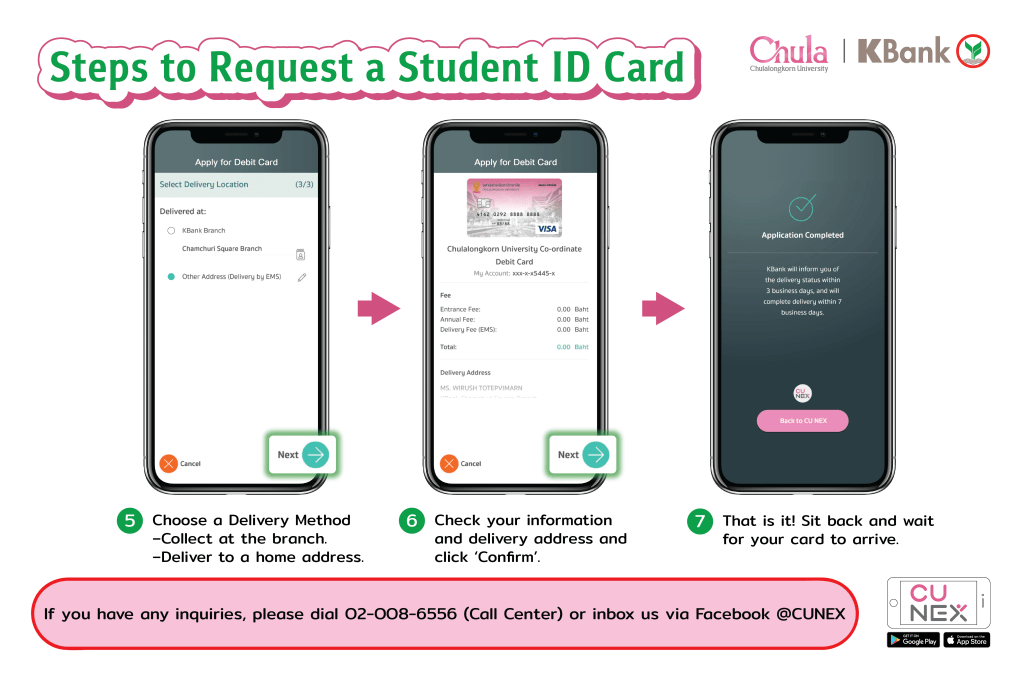
If you have everything ready, let’s begin the steps to request your card 😉
Step1️⃣ Click ‘Request a Card’.
Step2️⃣ Verify your information.
Step3️⃣ Select the account to be linked to your student ID card.
Step4️⃣ Debit card information will be displayed.
Step5️⃣ Choose a Delivery Method
📍Collect at the branch.
📍Deliver to a home address.
Step6️⃣ Check your information and delivery address and click ‘Confirm’.
That is it! Sit back, relax, and wait for your card to arrive 😆🌟
How to Check the Delivery Status
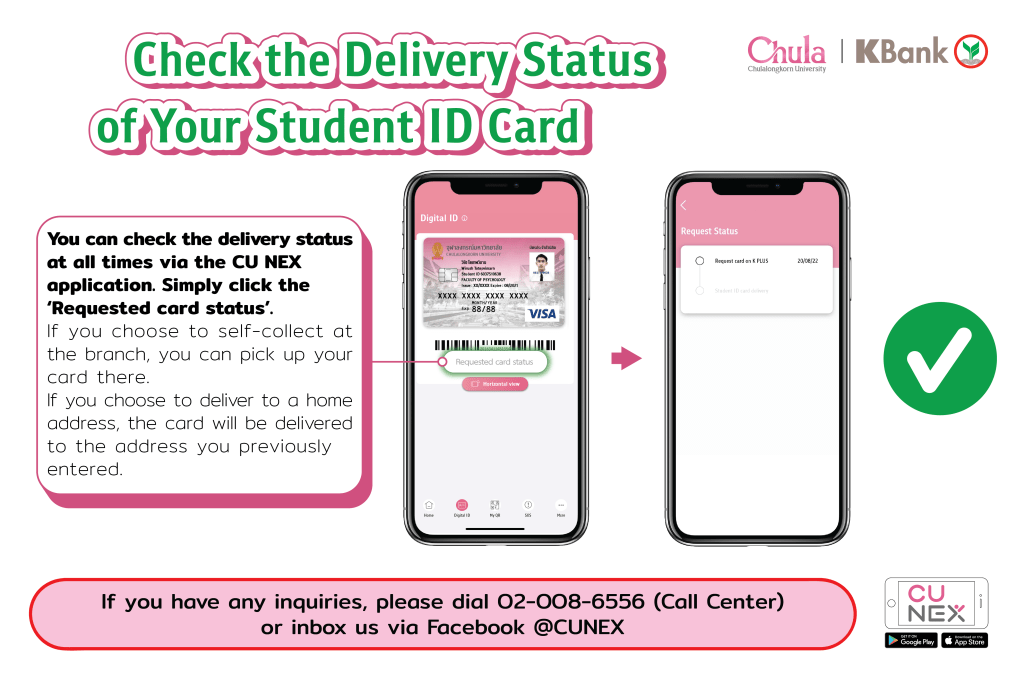
After confirming, you can check the delivery status at all times via the CU NEX application. Simply click ‘Requested card status’.
📍Collect at the branch : You can receive your card at the branch.
📍Deliver to a home address : The card will be sent to the address you previously entered.
.
.
That is it! Now, all you have to do is wait for your card 💳🌟
The delivery of the card will take around 7 working days.
If you have any inquiries, please ☎️ dial 02-008-6556 (Call Center) or 📬 inbox us via Facebook @CUNEX.Official 😊

