
📍Book Study Rooms at Office of Academic Resources (Central Library), Chulalongkorn University easily through the CUNEX Application.
Hello Chulalongkorn University community! Today, NEXKY is here to teach you how to book central rooms at Chulalongkorn University through the CU NEX application. Easy booking, convenient, anytime, anywhere. You can view and follow the steps easily. 🙌🏻
- Open the CU NEX application.
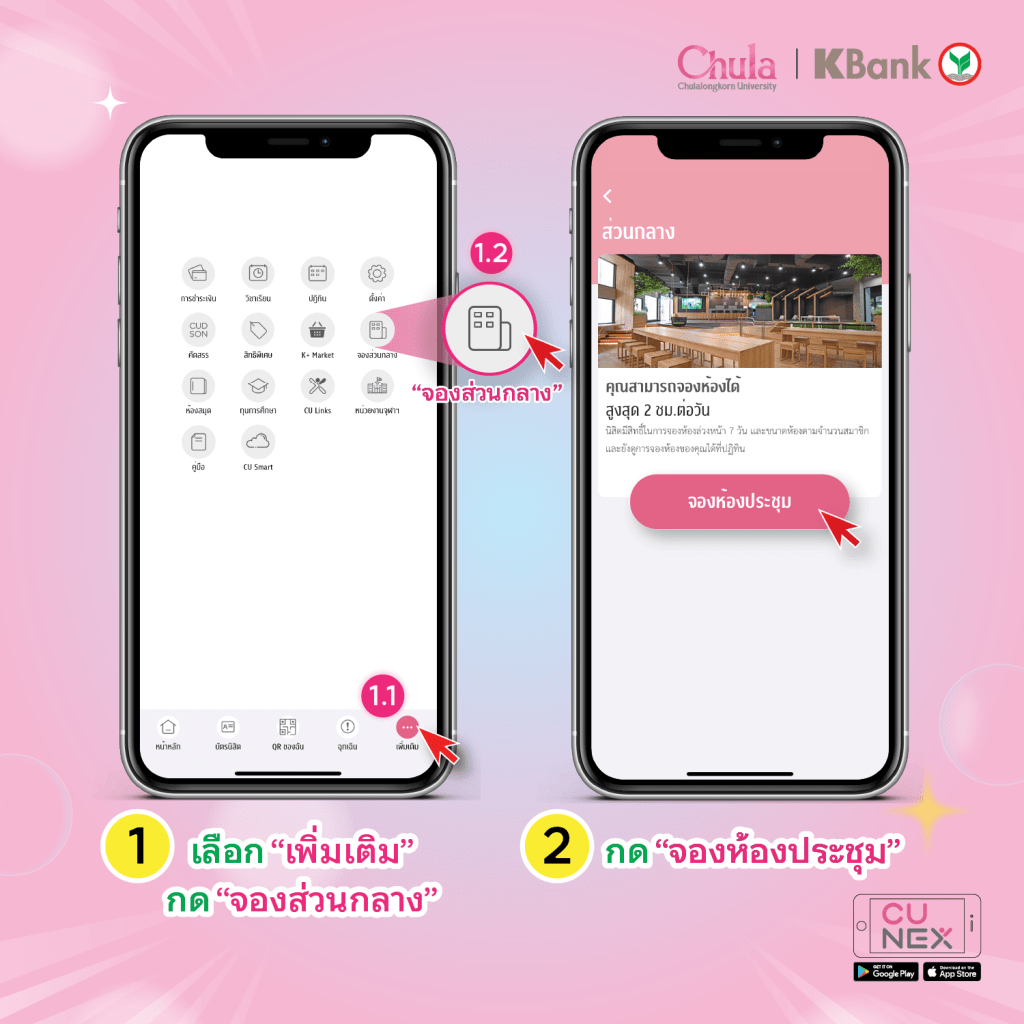
- Click on “More.”
- Click on “Book Rooms.”
- Click on “Book Meeting Rooms.”
- Enter your name, number of participants, and facilities required.
- Choose the venue, date, and time for the booking.
- Select the room.
- Confirm the booking details.
- Invite friends to join the appointment and check the location and time of the booking.


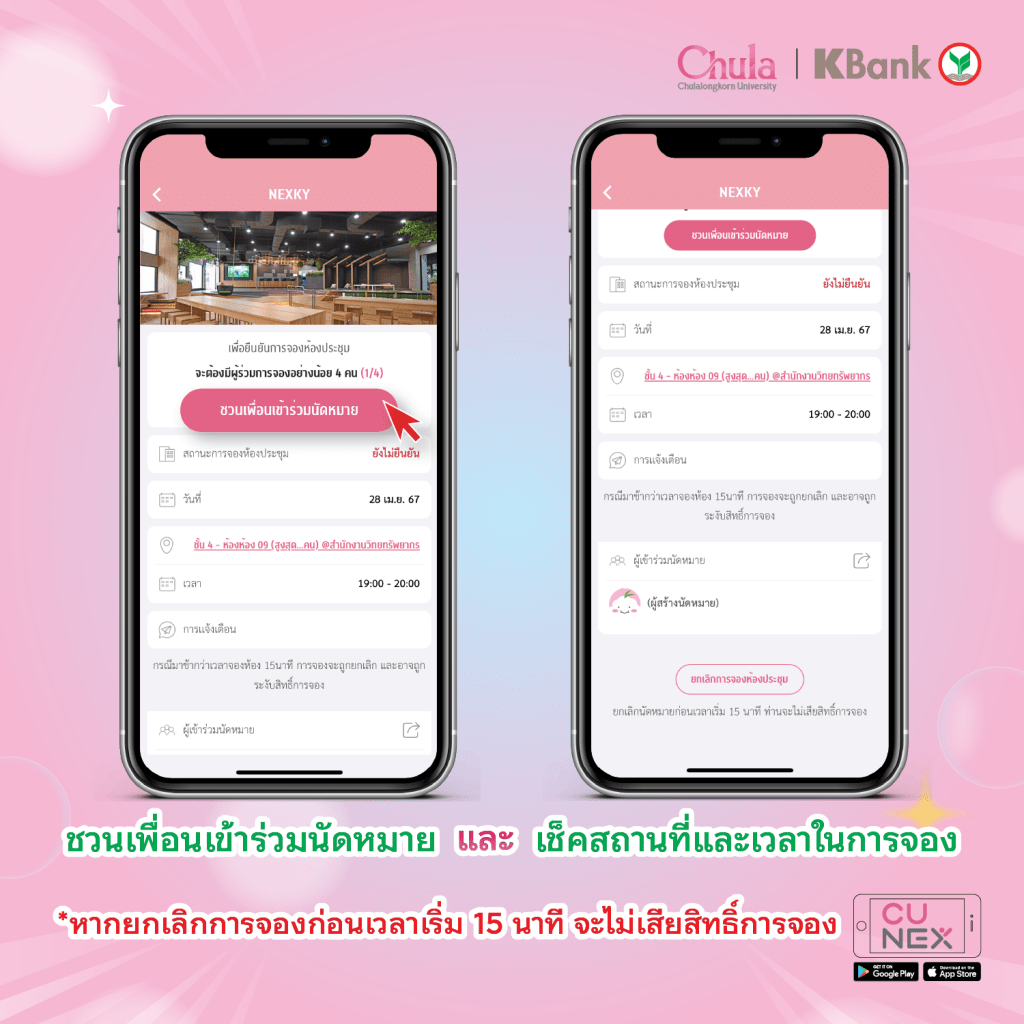
Note: Canceling appointments before 15 minutes prior to the start time will not result in a loss of booking rights. If you arrive later than 15 minutes after the booking time, the booking may be canceled and booking privileges suspended.
#NEXKY #CUNEX #CU #จองห้องส่วนกลาง #จุฬา #ส่วนกลาง #Coworkingspace #ห้องสมุด
 CU NEX Popular Stories