5 New and not-to-miss features from the CU NEX application

Today, NEXKY is here to recommend something you don’t want to miss; 5 new and not-to-miss features from the CU NEX application that will cater to all lifestyles!🤩These are sure to make your life in Chulalongkorn much easier so let’s see what they are!👀

————————————————————————————————————————-

💛Digital student ID and My QR 

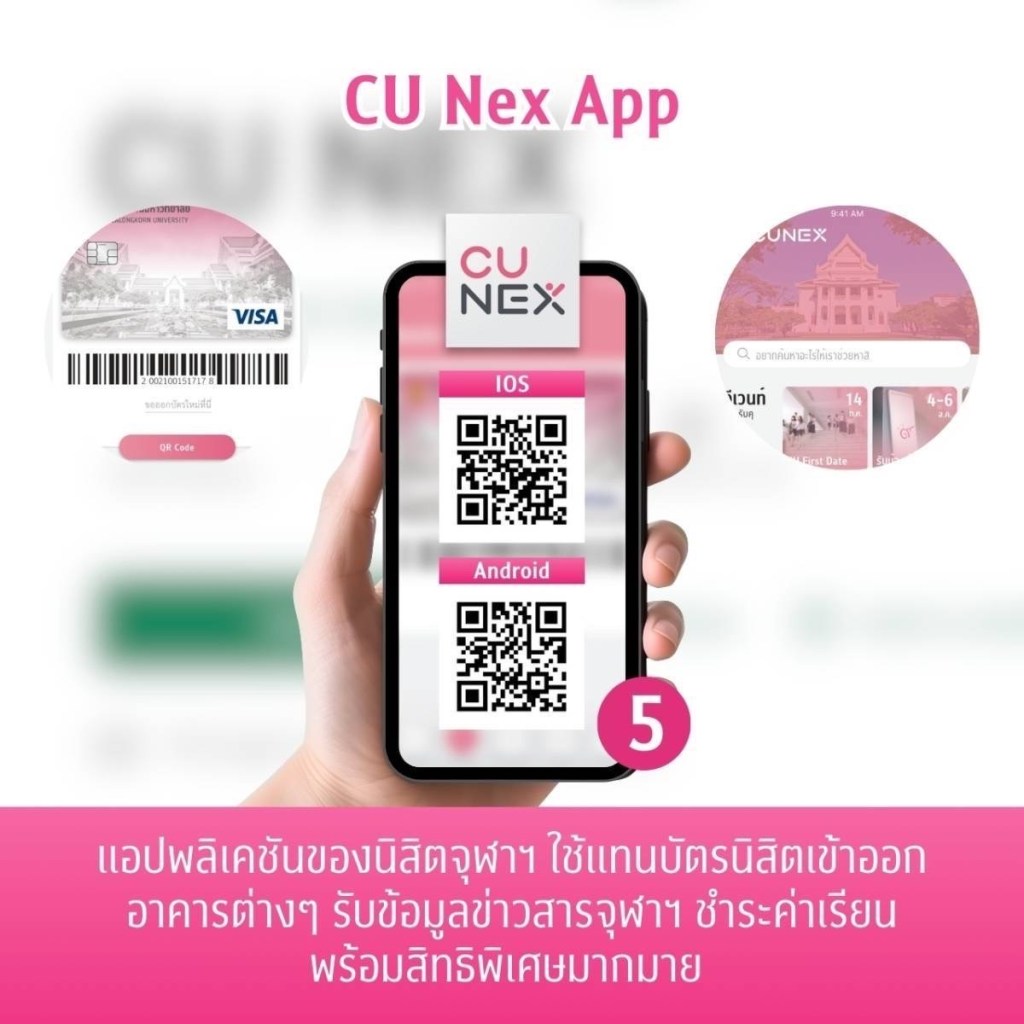
No more worries about forgetting to carry your student IDs around🪪 with the “Digital ID” feature. There is also “My QR” which you can use to scan to enter all the amenities in Chulalongkorn through the CU NEX application📱. 

💚Privileges

This is for all the Chulalongkorn students with special deals from various stores and restaurants combined together for an easy browse. They include discounts for restaurants🥘, drinks, beauty🛍️and more! So don’t forget to check them out and make use of the privileges.

🧡CU POP BUS

Commuting and getting to places on the Chulalongkorn grounds will no longer pose any problems with the feature that lets you track all the CU Pop Bus routes 🚌 . Not only that you can see where to bus is in real time!

🩷Calendar

Sometimes we take too many courses and it’s hard to remember the schedule. Don’t worry! With the calendar feature, you can always check the dates for exams, the classroom numbers and buildings, and even all-important university dates like dates for tuition payment and course registration. So say goodbye to missed deadlines!📅

🩵Payment

DId you know that you can pay your tuition fee through the CU NEX application?💵Well with this payment feature you can easily pay the fees and also set up an automatic payment to ensure you won’t forget.

If you want to learn more about these features, feel free to read the details at the features’ “manual”. There are so many other features waiting for you in the application so make use of them and let you life in Chulalongkorn be an smooth ride.🥰

5 ฟีเจอร์เด็ด🤩 สุดสำคัญในแอปฯ CU NEX

วันนี้ NEXKY ขอมาแนะนำสิ่งดี ๆ ที่ทุกคนไม่ควรพลาด!! กับ 5 ฟีเจอร์เด็ด🤩 สุดสำคัญในแอปฯ CU NEX ที่จะมาตอบโจทย์กับทุกไลฟ์สไตล์ รับรองว่าการใช้ชีวิตในรั้วจุฬาฯ จะง่ายขึ้นชัวร์ ไปดูกันเลยดีกว่าา👀

————————————————————————————————————————-

💛บัตรนิสิต (Digital ID) และ QR ของฉัน (My QR)

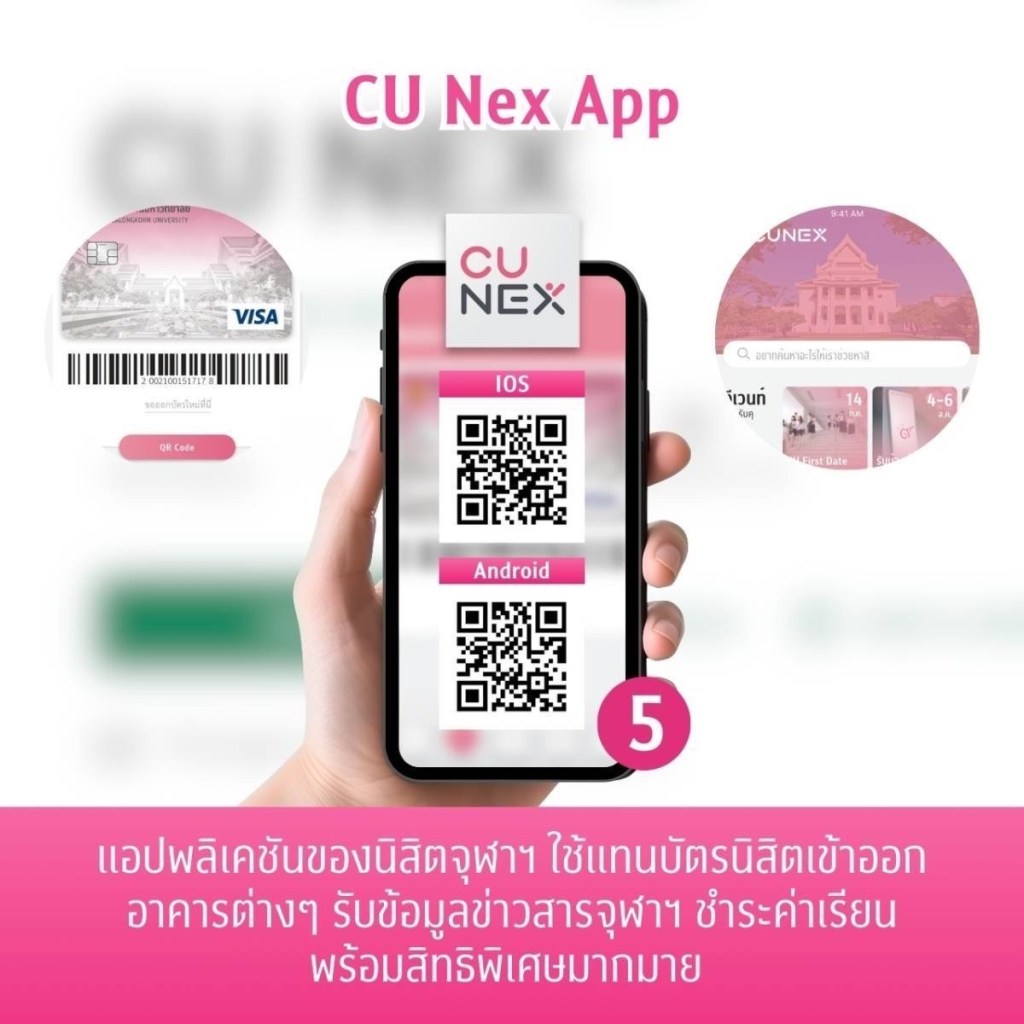
หมดกังวลเรื่อง การพกบัตรนิสิตตลอดเวลา🪪 แค่ใช้ฟีเจอร์ “บัตรนิสิต” เพื่อแสดงหน้าบัตรดิจิทัล โดยไม่ต้องใช้บัตรนิสิตชนิดแข็งเลยย และอีกความเริ่ดก็คือ ฟีเจอร์ “QR ของฉัน” ที่จะใช้สแกนเข้าสถานที่ต่าง ๆ ได้ทั่วจุฬาฯ เพียงแค่มี CU NEX 📱แอปฯ เดียว จบ!

💚สิทธิพิเศษ (Privileges)

ฟีเจอร์ที่มีมาเพื่อชาวจุฬาฯ โดยเฉพาะ! เพราะ ดีลสุดปัง จากหลากหลายร้าน ได้ถูกรวมมาไว้ที่นี่แล้วนั่นเอง ไม่ว่าจะเป็น ส่วนลดร้านอาหาร🥘 เครื่องดื่ม สินค้า ความสวยความงาม🛍️ หรือการบริการต่าง ๆ มากมาย  อย่าลืมไปกดรับคูปอง แล้วไปใช้สิทธิ์กันแบบฟิน ๆ ได้น้า

🧡CU POP BUS

การเดินทางในจุฬาฯ จะไม่มีหลงอีกต่อไป! กับฟีเจอร์ที่จะมาบอกเส้นทางเดินรถของรถป๊อปทุกสาย 🚌 จะผ่านตรงไหน หรือต้องรอรถที่ไหน แผนที่ก็บอกไว้หมดแล้วว ยังไม่พอ! เพราะพิกัดตำแหน่งรถป๊อปแบบ real time ก็มีให้ดูอีกด้วยย 

🩷ปฏิทิน (Calendar)

วิชาเรียนเยอะจนจำไม่ไหว ก็ไม่เป็นไร ปฏิทินช่วยทุกคนได้ วันนี้ต้องเรียนอะไร ห้องไหน เวลาใด จะมิดเทอมหรือไฟนอลเมื่อไหร่ ก็บอกหมด! รวมไปถึงวันสำคัญ📅 อย่างวันชำระค่าเล่าเรียน ลงทะเบียน ถอนรายวิชา ทำให้ไม่พลาดกำหนดการสำคัญ!

🩵การชำระเงิน (Payment)

รู้รึยัง? เราสามารถชำระค่าเทอมผ่านแอปฯ CU NEX ได้เลยนะ💵 ด้วยฟีเจอร์นี้จะจ่ายอะไรก็สะดวกสุด ๆ ไม่ยุ่งยาก ใช้เวลาเพียงนิดเดียวก็เสร็จแล้วว ส่วนใครที่ห่วงว่าจะลืมชำระเงิน ก็ไม่ต้องกลัวไป เพราะมีบริการหักบัญชีอัตโนมัติ ให้อุ่นใจอีกด้วยย

ส่วนใครที่อยากอ่านวิธีใช้งานฟีเจอร์ต่าง ๆ แบบละเอียดล่ะก็สามารถมาดู ที่ฟีเจอร์ “คู่มือ” ได้เลย มีฟีเจอร์อีกเพียบที่รอให้ทุกคนไปใช้อยู่น้าา บอกเลยว่าแอปฯ CU NEX จะช่วยเพิ่มความสะดวก และเสริมความปังให้ชีวิตในรั้วจุฬาฯ ได้แน่นอนน 🥰

How to check your class schedule easier with the calendar feature via CU NEX app

Stop stressing about your class schedule! Whether you have too many subjects or forgetting where your classes are located in the building. These problems will be gone because NEXKY introduces a feature to make checking your class schedule easier for everyone. 🤩

👉 Open CU NEX app 👉 Click at ‘More’ 👉 Choose ‘Calendar’ icon 

👏🏻 The calendar feature 🗓️ will help you with

✅Subjects that need to be studied each day.

✅Class times for specific subjects.

✅Classrooms for each subject. 

We guarantee that you’ll find your way to class correctly and never get lost, just  by clicking on the date you want to see your class schedule. How convenient!  

During exam season📚, you can check the exam schedule, which includes the date, time, subject, and exam room information. It’s so helpful! 

👏🏻 Don’t miss out on important events such as holidays, study registration, or tuition fee payment dates which will all be included in the Calendar. No matter the date, you’ll know for sure. 😎

👏🏻 Moreover, you can schedule appointments yourself. Choose the activity and time you prefer, then save it in your calendar. 📌 No need to worry about missing important appointments.

The feature makes life easier for Chula people like this. ✨ It has to be the CU NEX app!

How to ดู ‘ตารางเรียน’ ได้ ง่าย ๆ ด้วยฟีเจอร์ ‘ปฏิทิน’ ผ่านแอปฯ CU NEX

หยุดกังวลเรื่องตารางเรียนไปได้เลย! วิชาเรียนอันแสนเยอะ ตึกเรียนก็จำไม่ได้ ปัญหาเหล่านี้จะหมดไป เพราะ NEXKY ขอเสนอฟีเจอร์ที่จะมาช่วยให้ทุกคนสามารถดูตารางเรียนได้ง่าย ๆ🤩

👉เพียงแค่เข้าแอปฯ CU NEX 👉กดเมนู ‘เพิ่มเติม’ 👉เลือกที่ไอคอน ‘ปฏิทิน’ ได้เลย

👏🏻โดยฟีเจอร์ 🗓️ปฏิทิน จะช่วยบอก

รายวิชา ที่ต้องเรียนในแต่ละวัน

เวลาเรียน ของวิชานั้น ๆ

ห้องเรียน ของแต่ละวิชา

รับรองไปเรียนถูกไม่มีหลงแน่นอน เพียงแค่กดวันที่ต้องการดูตารางเรียนได้เลย สะดวกสุด ๆ   

ในช่วงสอบ📚 เพื่อน ๆ ก็สามารถมาดูตารางสอบ ที่บอกทั้งวัน เวลา วิชา และห้องสอบได้เช่นกัน บอกเลยว่า ปังมากก

👏🏻ไม่พลาดกำหนดการสำคัญต่าง ๆ ไม่ว่าจะเป็นวันหยุด วันถอนรายวิชา ลงทะเบียนเรียน หรือ วันชำระค่าเทอม ที่จะรวบรวมมาไว้บนปฏิทิน วันอะไรก็รู้หมดชัวร์😎

👏🏻นอกจากนี้ ยังสามารถสร้างการนัดหมายได้ด้วยตัวเองอีกด้วย จะทำกิจกรรมอะไร เมื่อไร ก็ปักลงปฏิทินได้เลย📌 ไม่ต้องกลัวว่าจะลืมนัดสำคัญอีกด้วย

ฟีเจอร์ที่จะอำนวยความสะดวกให้ชาวจุฬาฯ ครบ จบ แบบนี้✨ ก็ต้องแอปฯ CU NEX เลย!

What is CU NEX?

A lot of you might be curious about CU NEX, right  🤔❓

CU NEX is a project which happens from the cooperation from Chulalongkorn University and Kasikorn Thai Bank to push the goal of ‘Digital Lifestyle University’ via the application, CU NEX 

Why all Chula students need CU NEX on their phones ⁉️

Just download CU NEX, everything will be a lot easier because CU NEX has a lot of convenient features that help your life in Chula to the best experiences. 

📣 “Notifications” feature is  used to get on every updates and activities in your campus life. You can also go on the tap “Event” to get updated on agendas , as well. ‘

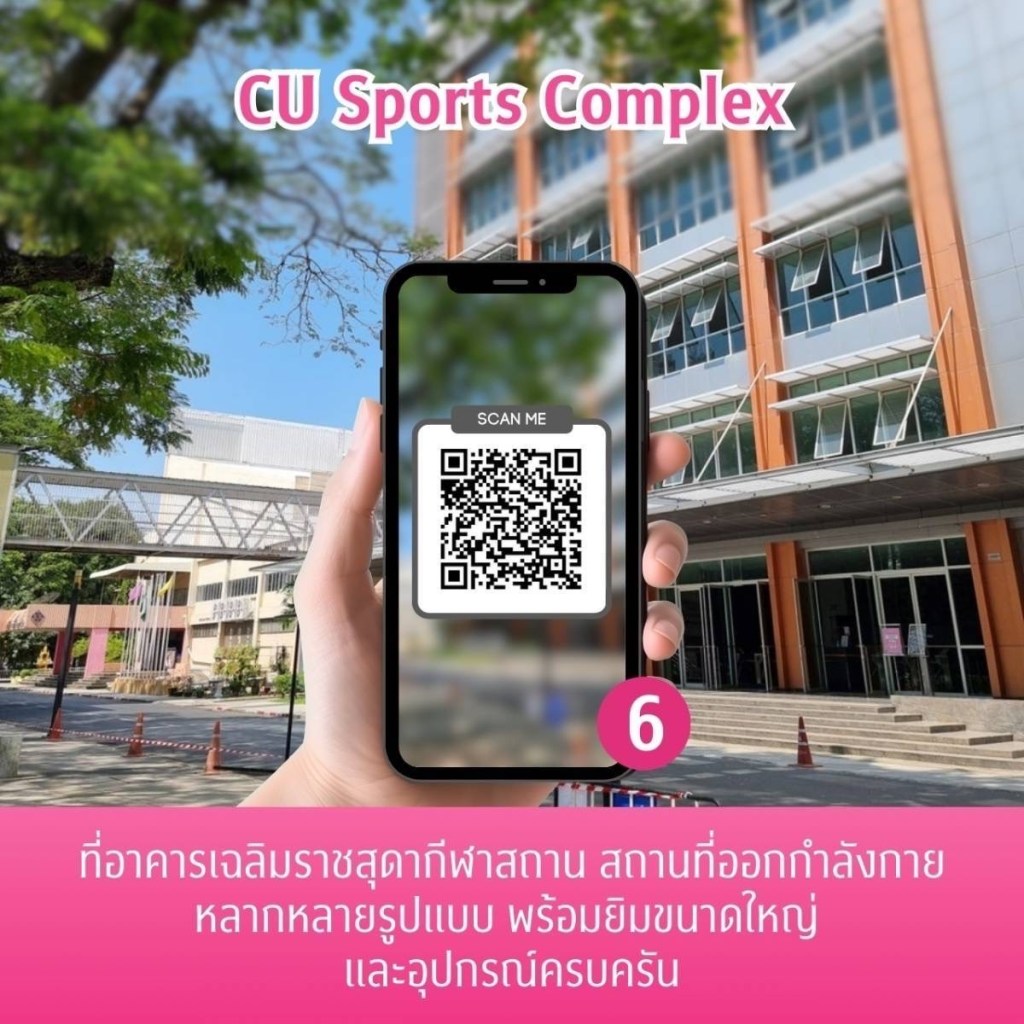
🪪”Digital Card” feature is also able to be used instead of the physical card, too. You can use the “My QR” scanning for campus facility utilization such as the central library, PLEARN space and CU Sport Complex.

🛍️”Privilege” feature get you all special deals to be redeemed for your life styles including eating, shopping, fashion and beauty. Don’t forget to use them! 

💵 “Payment” feature is used for easily tuition fee paying via the app with various ways of payment. You can also check your pay history, too. 

🚨 “SOS” feature will always immediately notify you the emergencies both in the campus and nearby.

Other features are also available such as CU Smart & Map, Scholarship, Library, Class, CUDSON, K+ Market, CU Links and Contact. If you want to additionally know how to use the app, go check on “Survival Guide”. Can’t forget to download this perfect app on your phone. Let’s complete your CU life with CU NEX 💗

CU NEX คืออะไร?

เพื่อน ๆ หลาย ๆ คนอาจจะกำลังสงสัยว่า CU NEX คืออะไร 🤔❓

CU NEX เป็นโครงการความร่วมมือระหว่างจุฬาลงกรณ์มหาวิทยาลัยและธนาคารกสิกรไทย เพื่อสร้าง ‘Digital Lifestyle University’ ในการอำนวยความสะดวกสบายในการใช้ชีวิตของนิสิตจุฬาฯ ผ่านการใช้แอปพลิเคชัน CU NEX 

แล้วทำไมนิสิตจุฬาฯ ต้องมี CU NEX ติดเครื่อง ⁉️

เพียงแค่มีแอปพลิเคชัน CU NEX ในมือถือชีวิตก็ง่ายขึ้นแล้ว เพราะ CU NEX มีฟีเจอร์อำนวยความสะดวกต่าง ๆ มากมายที่จะทำให้การใช้ชีวิตในรั้วจุฬาฯ สะดวกสบายยิ่งขึ้น

📣ฟีเจอร์ ‘แจ้งเตือน’ ข่าวสารต่าง ๆ และกิจกรรมในรั้วมหาลัย โดยติดตามรายละเอียดเพิ่มเติมได้ที่แถบ ‘ประชาสัมพันธ์’ และ ‘เรื่องเล่า’ ทั้งยังสามารถติดตามกำหนดการต่าง ๆ ได้ในแถบ ‘อีเว้นท์’

🪪ฟีเจอร์ ‘บัตรนิสิต’ ที่สามารถใช้บัตรดิจิทัลแทนบัตรนิสิตตัวจริงได้เลย มาพร้อมกับ ‘QR ของฉัน’ ที่สามารถสแกนเข้าพื้นที่ต่าง ๆ ภายในจุฬาฯ ทั้งหอสมุดกลาง, อาคารจามจุรี 9, PLEARN Space และ CU Sports Complex

🛍️ฟีเจอร์ ‘สิทธิพิเศษ’ รวมดีลสุด exclusive ที่ NEXKY รวบรวมมาให้นิสิตทุกคน ครอบคลุมทั้งสายชิม สายช้อป สายแฟชั่นและความงาม แล้วอย่าลืมไปกดรับสิทธิ์กันนะ

💵ฟีเจอร์ ‘การชำระเงิน’ จ่ายค่าเทอมง่าย ๆ ผ่านแอปกับหลากหลายวิธีในการชำระเงิน แถมยังดูประวัติการชำระเงินได้อีกด้วย

🚨ฟีเจอร์ ‘ฉุกเฉิน’ เมื่อพบเจอเหตุด่วนเหตุร้าย ก็สามารถติดต่อรปภ.ได้ทันที และยังมี contact ศูนย์แจ้งเหตุอื่น ๆ ทั้งในและนอกมหาลัยไว้ให้ด้วย

นอกจากนี้ยังฟีเจอร์อื่น ๆ อีกมากมาย ทั้ง CU Smart & Map, ทุนการศึกษา, จองส่วนกลาง, ห้องสมุด, วิชาเรียน, ปฏิทิน, คัดสรร, K+ Market, CU Linksและ หน่วยงานจุฬาฯ ถ้าอยากรู้วิธีการใช้งานเพิ่มเติมสามารถกดดูได้ใน ‘เครื่องมือ’ ฟีเจอร์ครบครันขนาดนี้ ไม่มี CU NEX อยู่ในเครื่องไม่ได้แล้วล่ะ มา Complete your CU life with CU NEX กัน 💗

4-Step checklists to get your student ID card

Is everyone ready for the new semester? 🥰 Before the semester start, the important thing is to get your student ID card, right? NEXKY is here to help with a 4-step checklists to get your student ID card.

1️⃣Download the CU NEX app. 🤩

2️⃣Verify your information and confirm your initial registration details. 📝
3️⃣Open a Kasikorn bank account and sign up for the K PLUS service.📱

4️⃣ Register for your classes and pay your tuition fees. 🎉

💖Don’t forget to carefully choose your required courses and electives before registering. Double-check all your details as well.

Once you’ve completed these 4 steps, you can apply for your student ID card🪪 through the CU NEX app. You can find detailed instructions and information for each step on the CU NEX app.✨

4 สิ่งที่ต้องเตรียม ก่อนขอออกบัตรนิสิต

ทุกคนเตรียมพร้อมสำหรับการเปิดเทอมรึยังง?🥰 แต่ก่อนจะเปิดเทอม สิ่งสำคัญที่ต้องทำ ก็คือ การออกบัตรนิสิต กันก่อนใช่มั้ยล่ะ~  NEXKY เลยจะขอมาบอก 4 สิ่งที่ต้องเตรียม ก่อนขอออกบัตรนิสิต ให้ทุกคน ได้มา checklist กันน✅

1️⃣ดาวน์โหลดแอป ฯ CU NEX ให้พร้อม🤩

2️⃣ตรวจสอบข้อมูล และผลการลงทะเบียนแรกเข้า ให้ครบถ้วน📝

3️⃣เปิดบัญชีธนาคารกสิกรไทย และสมัครบริการ K PLUS📱

4️⃣ลงทะเบียนเรียน และชำระค่าเทอมให้เรียบร้อย🎉

💖เพื่อน ๆ อย่าลืมดูวิชาบังคับที่ต้องลงเรียน และวิชาเลือกให้ดี ก่อนทำการลงทะเบียนเรียน รวมไปถึงตรวจสอบข้อมูลต่าง ๆ ให้รอบคอบกันด้วยน้า

เพียงแค่เตรียมครบทั้ง 4 ข้อ ก็สามารถกดขอออกบัตรนิสิต🪪 ผ่านแอป ฯ CU NEX กันได้เลย โดยสามารถดูขั้นตอนวิธีการและรายละเอียดของแต่ละข้อได้บน CU NEX Application น้าา✨

8 Steps to issue your student ID

👋🏻Hi all CU108 ✨ Today NEXKY will tell you the easy 8 steps to issue your student ID💗💚

📌How to issue your student ID📌

  1. Click ‘issue student ID’
  2. Check the information and click ‘confirm’
  3. Choose the bank account you would like to link to your ID
  4. Go to the debit card details page and click ‘continue’

5. Add your delivery details

  • a. At the branch
  • b. To your address

6. Choose the branch you prefer

  • a. Siam Square
  • b. Chulalongkorn Hospital
  • c. Chamchuri Square
  • d. MBK Center
  • e. Samyan Mitrtown

7. Check the details and click ‘confirm’

8. And it’s all done!

8 ขั้นตอนการขอออกบัตรนิสิต

👋🏻สวัสดีชาวจุฬาฯ CU108 ทุก ๆ คน✨ วันนี้น้อง NEXKY จะมาบอก 8 ขั้นตอนการออกบัตรนิสิตง่าย ๆ ทำได้ด้วยตัวเอง ถ้าพร้อมเเล้วไปดูกันเลย 💗💚

📌ขั้นตอนการออกบัตรนิสิต📌

1. คลิก ‘ขอออกบัตรนิสิต’

2. ตรวจสอบความถูกต้องของข้อมูล และกด ‘ยืนยัน’

3. เลือกบัญชีที่ต้องการผูกกับบัตรนิสิต

4. ไปยังหน้าแสดงรายละเอียดข้อมูลบัตรเดบิต และกด ‘ต่อไป’

5. เลือกสถานที่จัดส่ง 

  • รับที่สาขา 
  • จัดส่งตามที่อยู่

6. เลือกสาขาที่ต้องการ

  • สยามสแควร์
  • โรงพยาบาลจุฬาลงกรณ์ 
  • จามจุรีสแควร์ 
  • เอ็ม บี เค เซ็นเตอร์ 
  • สามย่านมิตรทาวน์

7. ตรวจสอบข้อมูล และรายละเอียดช่องทางการจัดส่งให้ถูกต้องจากนั้นกด “ยืนยัน”

8. เพียงเท่านี้ก็เสร็จเรียบร้อย รอรับบัตรได้เลย!!